
Master English
Master English ProgramEducation
4.91.16K Reviews
- Version
- 1.23.1
- Installs
- 1.00M
- Age Rating
- Everyone
Screenshots
Our Review of Master English
 Analysis by Appyee
The first few sessions with Master English make a strong case for keeping English practice within easy reach. The Education app, made by Master English Program, opens with a clear layout and activities that feel less like sitting down with a textbook. I found that approachable start useful when I wanted to practise without first deciding what to study or arranging a long study session.
Why the first week feels approachable
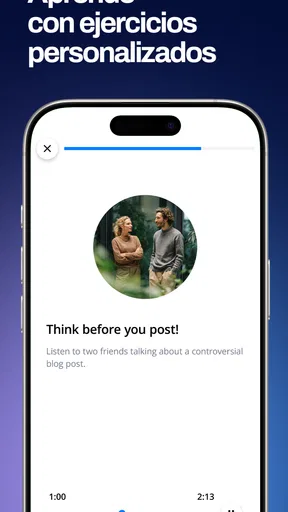
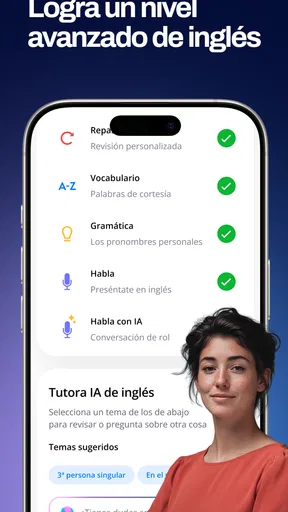
The mix of audio, visual, and text-based material gives a new learner several ways into a lesson. Quizzes and puzzles add quick checks along the way, while role-playing scenarios invite you to use language in context rather than only recognize a correct answer. That variety can help during the first week, when the biggest challenge is often returning tomorrow, not mastering a difficult grammar point in one sitting.
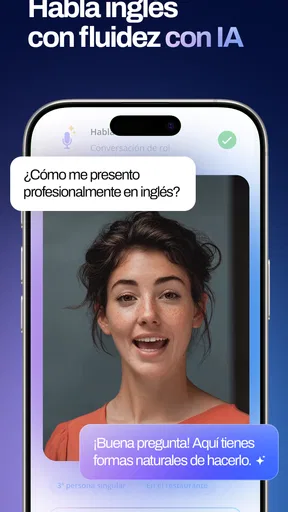
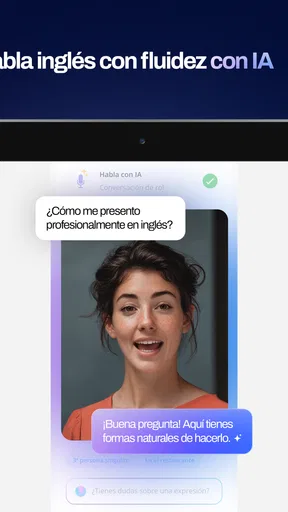
The speech-recognition practice is especially worth trying early. I would use it for a short phrase, listen to the feedback, then repeat the phrase once more rather than treating the first result as a verdict on my accent. That small routine turns a potentially awkward feature into a low-pressure speaking warm-up. It is still practice with an app, though, not the same give-and-take as talking to another person.
From novelty to a steady routine
A streak can be a helpful nudge, but I would make the daily target modest enough to survive busy days. A brief lesson during a commute break or while waiting for an appointment is more realistic than promising myself a long session every evening. The useful habit is not preserving a number at all costs; it is reopening the app often enough to keep English active in my mind.
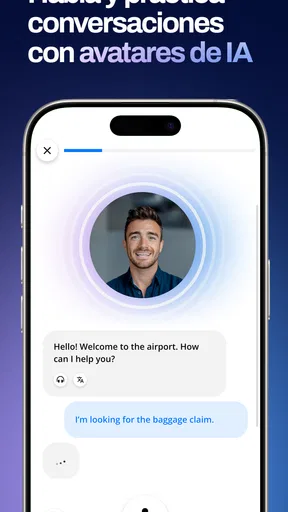
For a practical workflow, I would connect a lesson to something I expect to do soon. If I have a trip coming up, I can focus on relevant practice and then say a few useful phrases aloud later that day. If I am preparing for an interview, I can use a role-play as rehearsal, then note which answers still feel difficult and practise those again. The app can supply structure, but the learner has to bring a real situation to the exercise.
What continued use asks of you
Personalized paths are most helpful when I answer the setup questions honestly and revisit my goal when it changes. Choosing a path for a job interview makes sense during a job search; it may be less relevant once that interview is over. I would treat the path as a starting point, not a permanent diagnosis of what I need. If lessons begin to feel too easy or too demanding, changing direction is more useful than continuing out of habit.
There is also a trade-off in the app’s compact, guided format. It can make it easier to practise regularly, but a lesson cannot fully reproduce the pace, interruptions, and ambiguity of everyday conversation. I would pair it with real-world use: describing my day aloud, asking a question in English when the chance comes up, or writing down an expression I needed but could not recall. Those small transfers help prevent app progress from staying confined to app exercises.
Who will get the most from it
I can see this working well for beginners who want a clear place to start, and for learners who already know some English but need a repeatable routine. It is also a sensible companion for someone preparing for a specific situation, provided they use the relevant practice as rehearsal rather than assuming it guarantees fluency. The app’s store summary promises fluency, but fluency takes sustained practice across listening, speaking, reading, and real interaction; no single app can do all of that on its own.
On the other hand, I would look elsewhere if my main need were live conversation with a tutor, detailed correction of long-form writing, or a course built around formal exam preparation. A conversation partner is better for spontaneous back-and-forth, and a dedicated writing or exam resource is better when that specific feedback or syllabus matters most. This app is more appealing as an accessible practice companion than as a replacement for every kind of English instruction.
Getting Started with Master English
The first thing that hit me was how user-friendly the interface is. You know how some apps make you feel like you need a degree just to navigate them? Not here. Signing up was a breeze, and I was welcomed with a clear dashboard that laid out all the features at my fingertips.
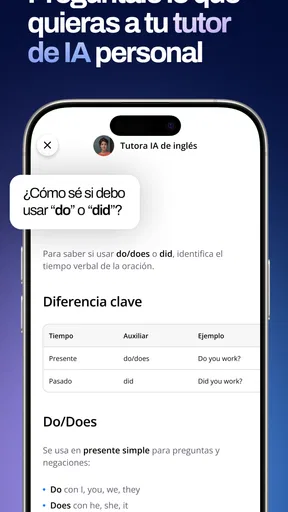
Upon logging in, I was greeted with a neat layout that made it super easy to dive right into learning. I could choose from a variety of lessons, ranging from basic vocabulary to more advanced grammar topics. It's like having a personalized tutor in your pocket!
Interactive Learning Experience
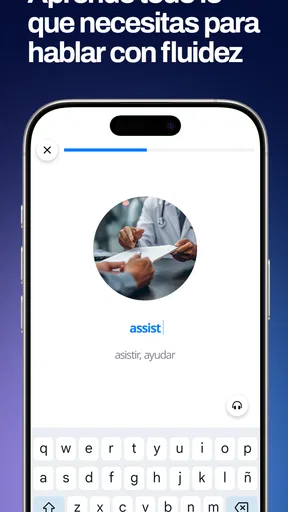
What really sets Master English apart is its interactive approach. The app uses a mix of audio, visual, and text-based lessons to keep things fresh. Honestly, it’s like playing a game rather than studying. There are quizzes, puzzles, and even some role-playing scenarios that help reinforce what you've learned.
One of my favorite features is the speech recognition tool. You can practice speaking, and it gives you feedback. It's not as scary as it sounds, and it's genuinely helpful to hear where you might be slipping up. Plus, who doesn’t love a bit of constructive criticism?
Tailored to Your Needs
Another standout feature is the personalized learning paths. The app asks you a few questions about your goals and current level, then tailors the lessons accordingly. Whether you're prepping for a trip or trying to nail that job interview, there’s a path for you.
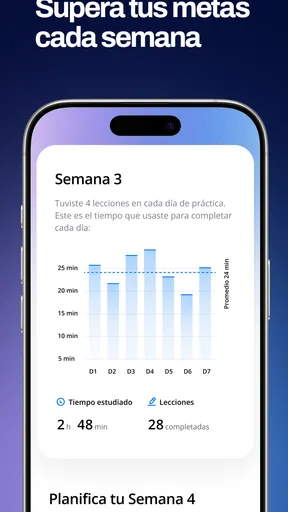
And let's not forget the streak feature. Who doesn’t love a good streak to keep you motivated? The app tracks your daily progress and encourages you to keep up the momentum, which is perfect for those of us who need that extra nudge.
Community and Support
Learning a language can be daunting, but the community aspect of Master English makes it less so. There's a forum where you can ask questions, share tips, or just chat with fellow learners. It's comforting to know you're not alone in the journey.
In case you run into any issues, the support team is just a message away. I had a minor issue with the audio on one of the lessons, and they were quick to resolve it. Customer service gets a thumbs up from me.
Keeping the routine fresh
To judge whether an English-learning app deserves a lasting spot on my phone, I look past the novelty of interactive exercises. I ask whether the structure remains useful after the first burst of enthusiasm, whether I can fit it around ordinary responsibilities, and whether it helps me do anything outside the app. Here, the combination of guided lessons, speaking practice, and goal-based paths gives me several ways to return, but the learner still has to choose a sustainable rhythm.
One useful way to avoid mechanical repetition is to alternate the reason for opening the app. On one day, I might focus on a short speaking exercise; on another, I might work through a vocabulary or grammar lesson. Then I can finish by trying to use one phrase in a message or spoken sentence of my own. This is not a hidden setting or a guaranteed method built into the app; it is a practical way to connect its different lesson formats to actual communication.
A realistic weekday example is a learner who has ten spare minutes before starting work. Rather than trying to complete a large study plan, they can open a lesson, answer its checks, and say a sample phrase aloud. Later, if an English-speaking colleague or customer comes up, they can try to use the expression in context. Even when no conversation happens, recalling the phrase without looking is a useful test of whether the session stuck.
How it compares with other ways to learn
Compared with a paper workbook, this app offers a more varied, interactive way to practise and can be easier to pick up in small pockets of time. Compared with a flashcard-only tool, its audio, grammar lessons, and role-play activities offer a broader mix than memorizing isolated words. Those differences matter most for learners who tend to lose interest when study becomes a repeated cycle of reading and recall.
But a broader mix does not make it the best tool for every goal. A live tutor or language exchange gives you unpredictable responses and the pressure of keeping a conversation moving; an app exercise cannot fully imitate that. A textbook or structured exam course may suit someone who wants a carefully sequenced syllabus or extensive written practice. I would use Master English for convenient guided practice, then choose a more specialized resource when a particular skill demands it.
Cost, compatibility, and sensible expectations
The app is free to download, with in-app purchases listed at $13.99 per item. That makes it possible to try the learning experience before deciding whether any paid item suits your needs. I would check what an item covers before purchasing and consider whether it matches a current goal, rather than paying simply because a streak or a burst of motivation makes me feel I ought to do more. The app is rated for Everyone, has an average rating of 4.9 from around 27,000 ratings, and has been installed over a million times.
For practical planning, the current version is 1.18.3 and the minimum operating-system requirement is 10. The app was released on November 14, 2022, so it is not a brand-new offering; its continuing appeal depends more on whether its learning routine fits you than on novelty. Those details are useful to check before installing, especially if you use an older device or want to understand the purchase model first.
One limitation I would keep in mind is that daily prompts and streaks can turn a helpful habit into a chore. If missing a day makes me feel I have failed, I would ignore the streak and set my own flexible schedule. Likewise, speech feedback is a practice aid, not a substitute for a teacher who can explain why a sentence sounds unnatural or respond to the meaning behind it. The best results are likely to come from treating the app as one part of a broader learning routine.
Final Thoughts
So, would I recommend Master English? Absolutely. It’s engaging, comprehensive, and genuinely makes learning fun. Whether you’re a beginner or looking to polish your skills, this app has something for everyone.
Give it a try, and you might just find yourself speaking English with confidence. Just remember, practice makes perfect, and with this app, you’ll be practicing in the most enjoyable way possible.
For me, the lasting value depends on returning with a purpose: preparing for a real conversation, reviewing a weak area, or keeping a small daily connection with English. Its guided lessons and varied exercises make that easier than starting from a blank page, while its limits are clear enough that I would not rely on it alone for advanced conversation, formal writing, or exam coaching. If that balance matches what you need, it is worth making room for; if you need intensive personal feedback, I would choose a more direct option.
Verdict
Strengths of Master English
- User-friendly interface with intuitive navigation.
- Interactive lessons enhance learning engagement.
- Covers all levels from beginner to advanced.
- Offers offline access for learning on the go.
- Includes speech recognition for pronunciation.
Limitations of Master English
- Limited free content, subscription required.
- Occasional app crashes disrupt learning.
- Requires constant updates for new content.
- Some lessons feel repetitive over time.
- Speech recognition can be inconsistent.
Similar Picks in This Category
View All
Duolingo: Language Lessons
Duolingo4.7

Google Classroom
Google LLC2.8

Unacademy: Learn & Crack Exams
Unacademy3.2

Bible App for Kids
Life.Church4.4

Cake - Learn English & Korean
Cake Corp.4.7

Brainly: AI Homework Helper
Brainly4.5
Frequently Asked Questions
What is the main purpose of the Master English app?
Master English is designed to help users improve their English language skills through interactive lessons, quizzes, and practice exercises. The app covers various aspects of the language, including grammar, vocabulary, and pronunciation, making it suitable for both beginners and advanced learners seeking to enhance their proficiency.
Is Master English suitable for beginners?
Yes, Master English caters to all levels of learners, including beginners. The app offers a structured learning path that starts with basic concepts and gradually progresses to more advanced topics. It provides a supportive learning environment with easy-to-follow lessons and practical exercises designed to build confidence and competence.
Does Master English require an internet connection?
Master English offers both online and offline modes. While an internet connection is needed to download lessons and access certain features like live tutoring, many resources can be accessed offline once downloaded. This flexibility allows users to learn anytime and anywhere, making the app convenient for on-the-go learning.
Are there any in-app purchases or subscriptions in Master English?
Master English is free to download, but it offers in-app purchases and subscription options for premium features. The premium version provides access to additional content, personalized feedback, and advanced learning tools. Users can choose between monthly or yearly subscriptions, depending on their learning needs and budget.
How does Master English track and measure progress?
The app includes a comprehensive progress tracking system that monitors user performance across various modules. It provides detailed insights into areas of strength and improvement, allowing users to customize their learning journey. Regular assessments and feedback are also included to ensure users are on the right path to achieving their language goals.
